
Software
Audio processing, quality analysis, metadata and acquisition. Four released applications for Windows, each with a free edition.
The collection
Four released applications and one in development. Each has its own page with every capability, format and requirement set out in full.
| Application | Discipline | Editions | Version | Published |
|---|---|---|---|---|
| WaveShaper | Audio Processing Studio | Free · Premium €39.99 | 2.5.0 | 21 July 2026 |
| Sonaris | Audio Quality Analyzer | Free | 1.0.2 | 7 May 2026 |
| MetaEdit Plus | Advanced Tag Editor | Free | 2.0.0 | 23 September 2026 |
| Medio | Universal Downloader | Free · Premium €24.99 | 2.3.1 | 18 May 2026 |
| MixForge | Digital Audio Workstation | In development | ||

WaveShaper
Audio Processing StudioA complete signal chain, from the first correction to the final limiter.
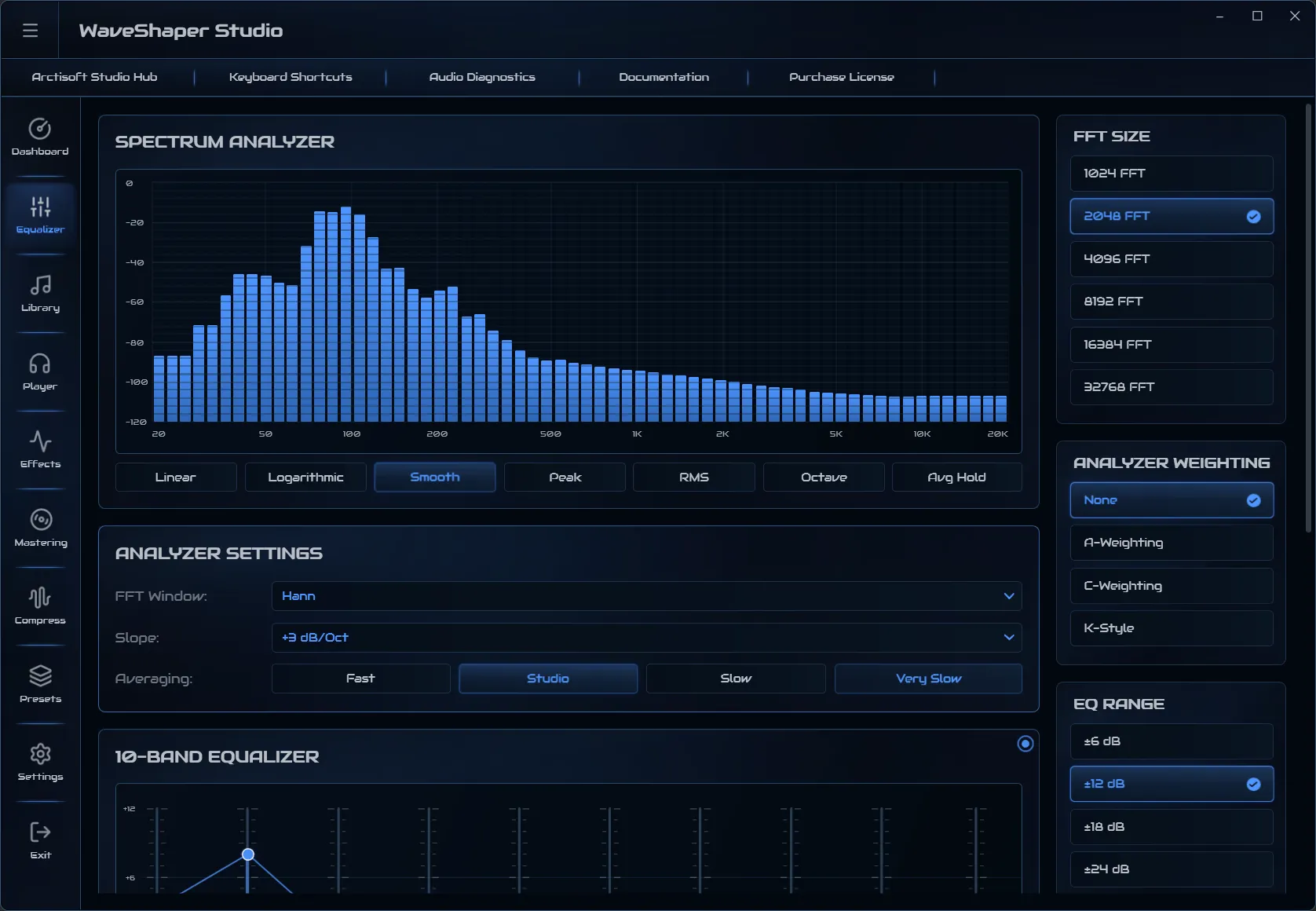
WaveShaper brings equalisation, effects, dynamics and mastering into one considered signal chain. Each stage has its own workspace, so a decision made at the equaliser remains legible when you reach the limiter.
It is built for the work between a finished recording and a delivered file: correcting tone, controlling dynamics, setting loudness and exporting in the format a destination requires. Every panel can be bypassed on its own, so any stage can be compared against the rest of the chain without losing its settings.
- Equaliser bands
- 10
- Built-in presets
- 44
- Reverb spaces
- 6
- Limiter styles
- 5
- Analyser modes
- 7
- 32-bit float export
- 192 kHz

Sonaris
Audio Quality AnalyzerIs this file what it claims to be, and is it fit for where it is going?
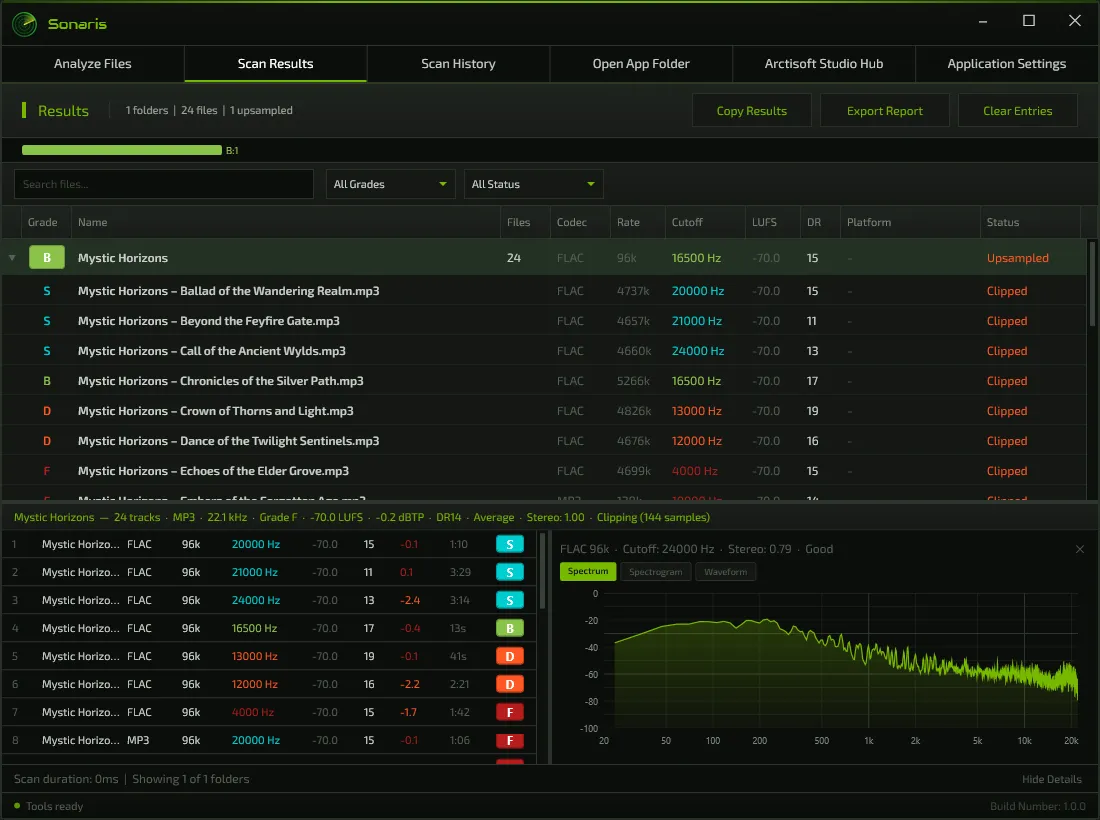
Sonaris scans and grades music libraries, production archives, masters and distribution catalogues. It measures the true frequency content of each track, compares it with what the codec and bit rate should deliver, and assigns a grade from S to F.
It keeps the gathering of evidence apart from the delivery decision. Analysis collects measurements across a library; Delivery Check holds one master against a published loudness specification; Compare Audio sets two masters side by side through the same measurement pipeline.
- Quality grades
- S–F
- Audio formats
- 43
- Delivery profiles
- 3
- Compared measurements
- 18
- File checksums
- 2
- Report formats
- 3

MetaEdit Plus
Advanced Tag EditorNothing is written until it has been reviewed.
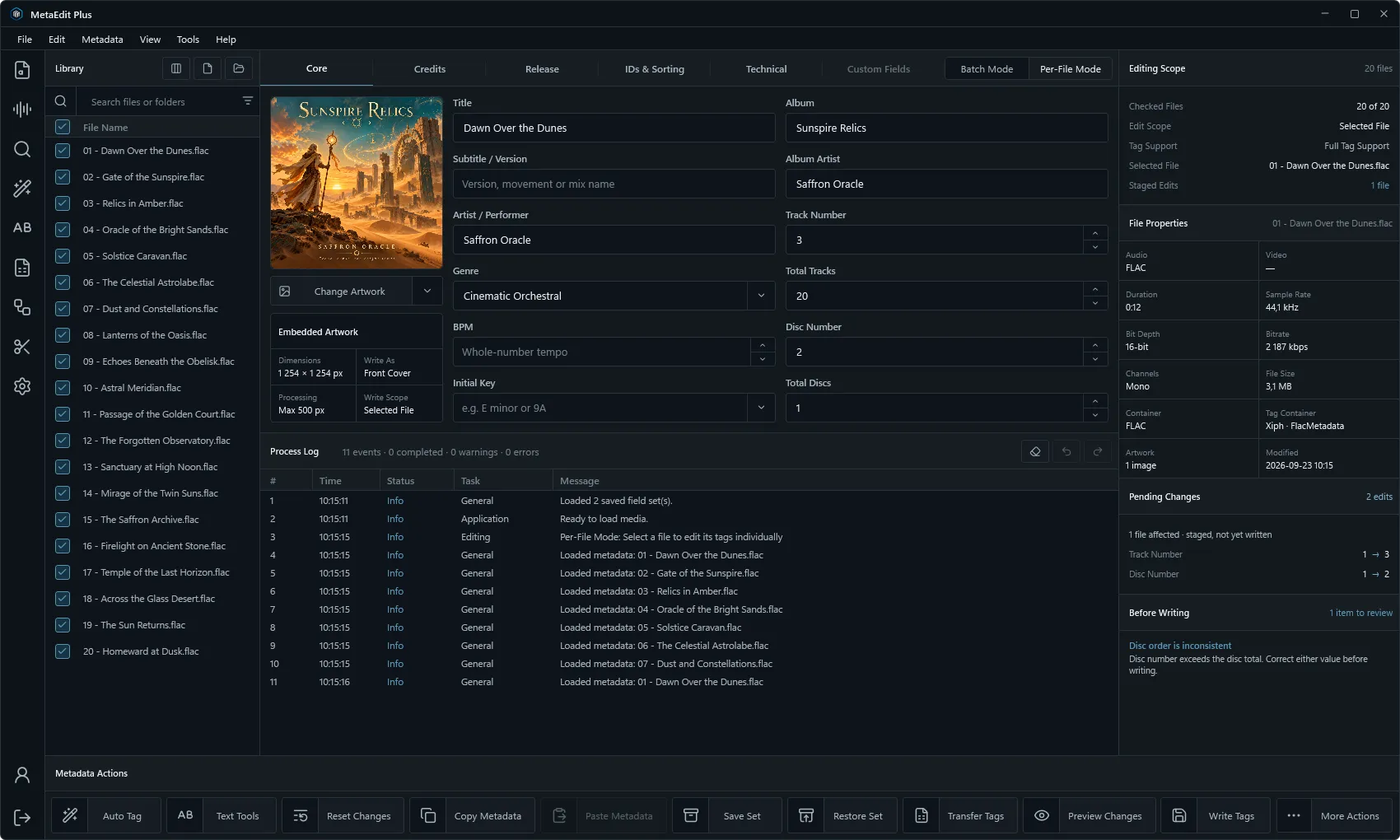
MetaEdit Plus is a metadata workstation for audio and video collections. It combines direct field editing with reviewed batch operations, complete artwork collections, filename automation, provider-assisted identification, library analysis, lyrics, chapters, loudness measurement and guarded automation.
Its principle is a single path to the file. Edits, artwork, lyrics, rules, imports and analysis results are proposals until they enter one staged review, and a write is checked before it begins and can be undone after it ends.
- Audio formats
- 23
- Video containers
- 6
- Field sections
- 5
- Identification sources
- 4
- Levels of undo
- 20
- Files per automated job
- 500

Medio
Universal DownloaderWhere material enters the library, in the format the work calls for.
Medio downloads video, extracts audio and converts both, with a queue for the work that comes in batches. It is built on two respected open-source tools, yt-dlp and FFmpeg, and gives them a considered Windows interface, synchronised settings and a processing pipeline.
You choose the resolution, the format and the codec. Where a source does not offer the quality you asked for, Medio takes the highest that it does.
- Maximum resolution
- 4320p
- Video formats
- 7
- Audio formats
- 8
- Queued downloads
- 50
- GPU encoders
- 3
- Video codecs
- 6
MixForge
MixForge is a digital audio workstation for recording, arranging and mixing, designed to sit alongside WaveShaper, Sonaris and MetaEdit Plus: the place where a piece of music is made before the rest of the collection finishes, verifies and catalogues it.
Installed and kept current by Studio Hub
Every application is installed, updated and launched from Studio Hub. Install the Hub once and add the applications you need.
- Platform
- Windows 10 and 11, 64-bit
- Free editions
- Every released application
- Paid editions
- One-time purchase, perpetual license
- Activation
- Up to 5 computers